



Freelancers juggling multiple clients need a social media scheduler to plan, approve, and publish posts without living inside each platform.
This guide assesses five named options, then names more genuine schedulers to reach a true ten, using company materials and pricing, and flagging which options are actual scheduling tools and which serve a different need.
Executive Comparison
| Provider | Best For | Pricing | Primary Limitation |
|---|---|---|---|
| Legiit Command Center | Finding social media work | Free trial, then paid; gigs vary | Not a scheduler |
| Legiit | Selling or outsourcing work | Per gig, varies by seller | Not a scheduler |
| Planable | Client approval workflows | Free plan; from ~$39/mo per workspace | Basic analytics |
| Beplan | Affordable creator scheduling | From ~$30/month | Lighter on team features |
| PostSyncer | Cross-platform posting plus AI | Free trial; paid tiers | Newer; AI-heavy |
#1. Legiit Command Center

Command Center is Legiit's marketing tools and business dashboard, paired with a marketplace. It is not a social media scheduler, but for freelancers it is a place to find social media clients or hire help.
Verdict: Its strength is connecting freelancers with paid social media work and affordable support, rather than scheduling posts.
Reality Check: It does not schedule or publish social media, so it complements a real scheduler rather than replacing one, and pricing sits behind a trial.
| Core Service | Marketing marketplace and tools |
| Pricing Tier | Free trial, then paid; gigs vary |
| Typical Turnaround | Ongoing |
| Ideal User | Freelancers finding social media work, not scheduling |
For a freelancer, the useful angle is the business side: Legiit is where you can land social media management gigs or outsource overflow, not where you publish. That makes it a complement to a real scheduler, not a substitute.
Legiit is associated with founder Chris M. Walker and carries a broadly credible reputation across its marketplace and tools. It rewards freelancers building a client base.
Pro Tip: Use Legiit to land social media clients, and a dedicated scheduler below to deliver the work.
#2. Legiit
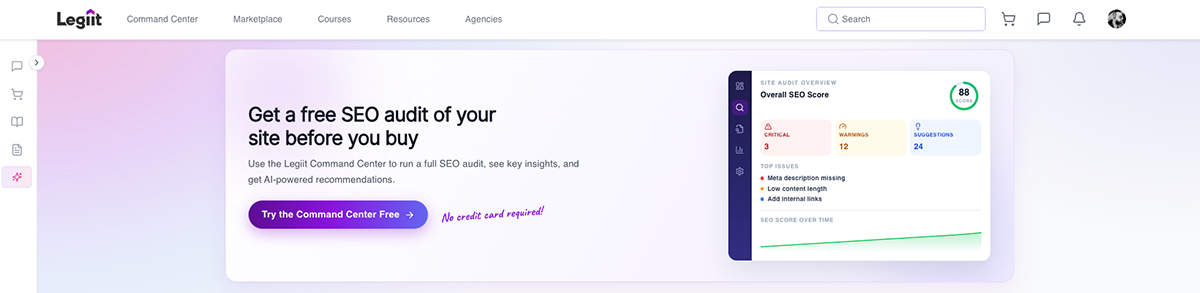
Legiit the marketplace is where freelancers can sell social media services or outsource overflow work. It is about finding and fulfilling work, not scheduling it.
Verdict: Its strength is affordable talent and a place to win social media gigs.
Reality Check: It is a marketplace, not a scheduling tool, and quality varies from one seller to the next, so vet anyone you hire.
| Core Service | Freelance marketplace |
| Pricing Tier | Entry to mid |
| Typical Turnaround | Per seller, days |
| Ideal User | Freelancers selling or outsourcing social work |
If you take on more clients than you can handle, Legiit is a cheap way to subcontract the work. The catch is the usual marketplace one, so vet sellers and keep quality control yours.
It fits freelancers scaling their workload. It does not schedule anything, so judge it on that basis.
Pro Tip: Use Legiit to scale your client load, then schedule their posts in a real tool.
#3. Planable
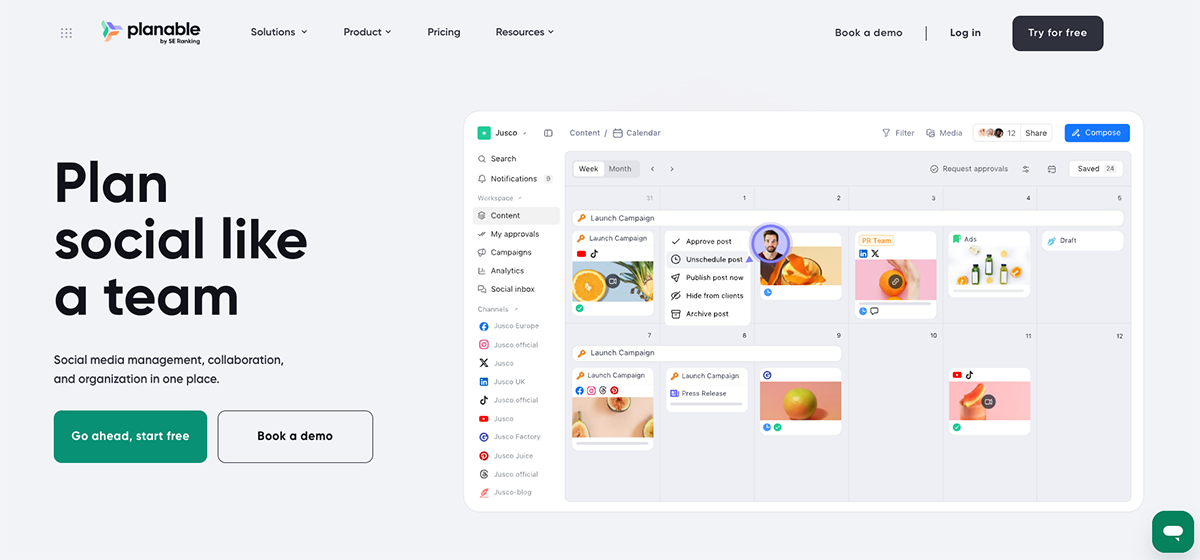
Planable is a genuine, collaboration-first scheduler, and arguably the best fit here for freelancers with clients. It is built around approval workflows, so clients can review and sign off before anything goes live.
Verdict: Its strength is client approvals and real-time feedback, with pixel-perfect previews across 10-plus channels and a separate workspace per client.
Reality Check: Its analytics are basic, so you may need a separate reporting tool, and paid plans start around $39 a month per workspace, which adds up across many clients.
| Core Service | Collaboration-first scheduler |
| Pricing Tier | Free plan; paid from ~$39/month per workspace |
| Typical Turnaround | Ongoing |
| Ideal User | Freelancers managing client approvals |
For a freelancer who serves clients, Planable solves the real pain: getting content approved without endless email chains. Inline comments, annotations, and per-channel previews keep everyone on the same version, and each client gets a clean, separate workspace.
The honest caveats are reporting and cost: analytics are light, and per-workspace pricing climbs as your client roster grows.
Pro Tip: Create a workspace per client and invite them as reviewers so sign-off happens in-app, not over email.
#4. Beplan

Beplan is a genuine scheduler built for creators, with cross-platform scheduling, AI content tools, and analytics that explain why posts work, at a low price.
Verdict: Its strength is affordable, creator-focused scheduling with generous AI credits and bulk scheduling, undercutting Buffer and Later on price.
Reality Check: It is newer and more creator-focused than enterprise tools, so it is lighter on the deep team and client features a multi-client agency needs.
| Core Service | Creator-focused scheduler |
| Pricing Tier | From ~$30/month |
| Typical Turnaround | Ongoing |
| Ideal User | Solo freelancers and creators |
For a solo freelancer or creator, Beplan hits a sweet spot: the core scheduling you need, plus AI help and diagnostic analytics, for less than the big names. It positions itself directly as a cheaper Buffer and Later alternative.
The caveat is maturity and scope: it is newer, and built more for solo creators than for agencies juggling many client approvals.
Pro Tip: Use the bulk scheduling and AI credits to batch a month of content in one sitting.
#5. PostSyncer
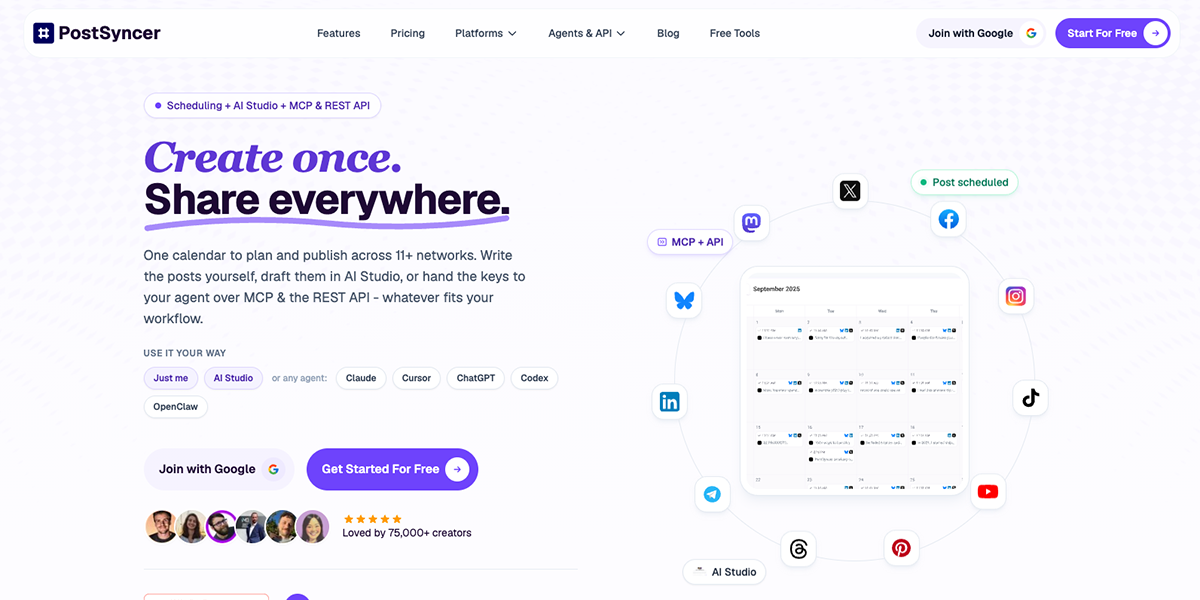
PostSyncer is a genuine scheduler for 11-plus platforms from one calendar, with an AI Studio for images, video, and captions, plus an API for automation.
Verdict: Its strength is broad cross-platform posting and AI content creation, with API and MCP access for tech-savvy freelancers who automate.
Reality Check: It is a newer tool, so weigh its track record against established names, and the API and AI focus may exceed what a simple scheduling need requires.
| Core Service | Cross-platform scheduler with AI |
| Pricing Tier | Free trial; paid tiers |
| Typical Turnaround | Ongoing |
| Ideal User | Freelancers posting across many platforms |
If you post everywhere, PostSyncer's single calendar for 11-plus networks plus built-in AI content creation is genuinely efficient, and the API appeals to freelancers who like to automate their workflow.
The caveat is that it is newer than the established players, so weigh its track record, and the heavy AI and API focus may be more than a simple scheduling need calls for.
Pro Tip: Use the AI Studio to generate captions and visuals, then schedule everywhere from the single calendar.
More Social Media Scheduling Tools for Freelancers
To reach a genuine ten, these are widely used, real schedulers worth a look:
- Buffer is simple, affordable, and a freelancer favourite for clean multi-channel scheduling.
- Later is strong for Instagram and visual planning, with a drag-and-drop calendar.
- Publer is feature-rich and cheap, with bulk scheduling and post recycling.
- SocialBee is great for category-based content recycling and evergreen posts.
- Metricool combines scheduling with solid analytics and ads on a generous free plan.
- Hootsuite is the established all-rounder for managing many channels, though pricier.
- Planoly is a visual-first option for Instagram and Pinterest creators.
Pick by the platforms you post to and whether you work solo or with clients.
Where Social Media Scheduling Is Headed in 2026
- AI is now built into schedulers, generating captions, images, and even posting times, so content creation and scheduling are merging.
- Native platform scheduling is improving, so third-party tools compete on collaboration, analytics, and multi-platform reach.
- Client collaboration is the freelancer differentiator, with approval workflows turning into a core feature rather than a nice-to-have.
FAQ
What is the best social media scheduling tool for freelancers?
It depends on your work: Planable is best for client approvals, Beplan and Buffer for affordable solo scheduling, and PostSyncer or Hootsuite for broad multi-platform posting. Match the tool to whether you serve clients or post for yourself.
What is the difference between native platform schedulers and third-party tools?
Native schedulers, like Meta Business Suite, are free and post only to their own platform, while third-party tools schedule across many networks from one place. Third-party tools also add collaboration, analytics, and approval features that native ones lack.
What features should a freelancer look for in a scheduling tool?
Prioritise the platforms you actually post to, a clear calendar, bulk scheduling, and, if you have clients, approval workflows and separate workspaces. Analytics and AI content help are useful extras, not essentials.
Can scheduling tools integrate with other marketing or CRM software?
Many do, connecting to tools like Canva, link-in-bio apps, analytics platforms, and sometimes CRMs, often via Zapier. Check the specific integrations you need before committing, since coverage varies.
Do I need a scheduler if I already use a project management tool?
Usually yes, since a project tool plans the work but cannot publish to social platforms or preview posts per network. A scheduler handles the actual posting, while your project tool can track the wider workflow.
For freelancers, the genuine scheduling tools here are Planable, Beplan, and PostSyncer: Planable for client approvals, Beplan for affordable creator scheduling, and PostSyncer for broad cross-platform posting with AI.
Legiit, prioritised here, is not a scheduler but a marketplace, useful for finding social media clients or hiring help rather than publishing posts.
Beyond these, proven schedulers like Buffer, Later, Publer, SocialBee, and Metricool round out a real ten. Pick by whether you serve clients or post for yourself, start on a free plan, and choose the tool that fits the platforms you actually use.









 Download