

We have all been there. You sign up for an email marketing tool, excited to automate your sales. You stare at the blank canvas of a workflow builder, seeing empty boxes and arrows, and suddenly you feel overwhelmed.
You know you need a "Welcome Sequence" or an "Abandoned Cart" flow. But connecting the dots feels like learning a new language.
Most people set up a basic, linear automation. Customer joins the list, waits one day, gets email one. Waits two days, gets email two.
This is better than nothing, but it is not intelligent. It treats every customer the same.
The power of AI automation is that it builds a path that adapts to the hiker. If a customer clicks a link about shoes, the next email changes to feature shoes. If they usually open emails at 8 PM, the system waits until 8 PM to send.
This guide will walk you through setting up your first intelligent workflow. We will move beyond simple "if this, then that" rules and implement a system that thinks for itself.
Step 1: Define the Goal and the Trigger
Before you drag a single block onto the screen, you must decide what this workflow is for. A common mistake is trying to build a "Master Flow" that does everything. Keep it focused.
For your first AI workflow, we recommend a Welcome Sequence with Intent Detection.
- The Goal: Convert a new subscriber into a first-time buyer.
- The Trigger: A user joins your newsletter list via a pop-up or footer form.
In a standard tool, the trigger is static. In an AI tool, you can add a layer of "Entry Criteria." For example, you can tell the system to only trigger this specific flow if the user's "Lead Score" is above a certain threshold, which the AI calculates based on their website activity before they even sign up.
Step 2: The First Touchpoint (Instant Gratification)
The first email must go out immediately. No delays.
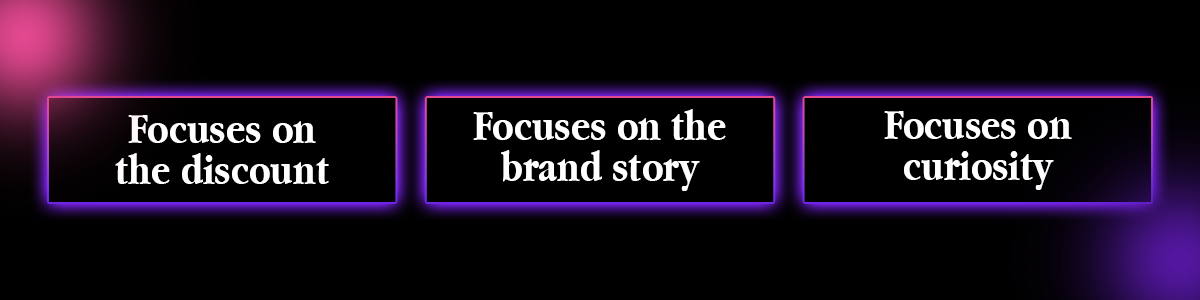
Here is where AI comes in. Instead of writing one static subject line, use your tool's AI Subject Line Generator to create three variations.
- Variation A: Focuses on the discount (e.g., Here is your 10 per cent code).
- Variation B: Focuses on the brand story (e.g., Welcome to the family).
- Variation C: Focuses on curiosity (e.g., You made a great choice).
Set up an AI Winner Selection test. The system will send these three versions to the first few hundred people, identify which one gets the highest open rate, and then automatically switch to sending only the winner to everyone else. You do not have to check the stats; the system optimises itself.
Step 3: The Wait Step (Smart Timing)
In a traditional workflow, you would add a "Wait 24 Hours" block here.
In an AI workflow, you replace this with Send Time Optimisation (STO).
Instead of forcing the second email to arrive at an arbitrary time, the AI looks at the specific user's data. If Subscriber John signed up at 10 PM, the AI predicts he is a night owl. It will hold the second email until 10 PM the next day. If Subscriber Sarah signed up at 9 AM, she gets her email at 9 AM.
This small change alone can increase open rates by massive margins because you are hitting the inbox when the user is actually holding their phone.
Step 4: Branching Logic Based on Behaviour
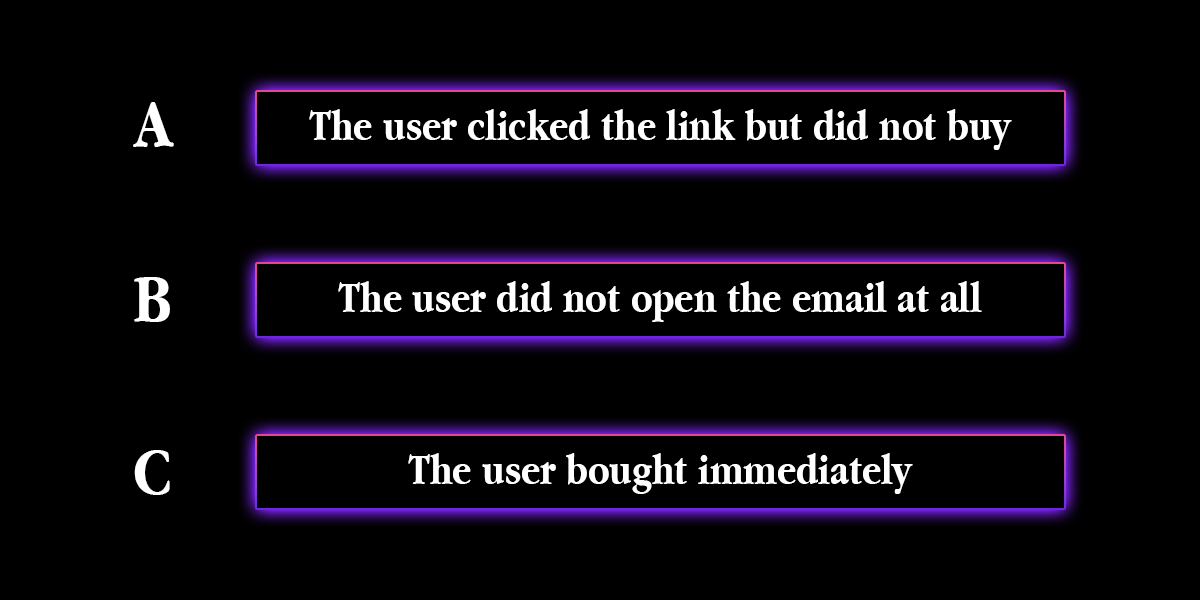
Now we make the workflow dynamic. We need to split the path based on what the user did in the first email.
- Branch A: The user clicked the link but did not buy.
- Branch B: The user did not open the email at all.
- Branch C: The user bought immediately.
For Branch A (Clicked but no buy), we use AI Product Recommendations.
Do not just send a generic "Come back!" email. Use a dynamic content block that automatically pulls in the product they looked at, plus two similar items the AI predicts they will like based on co-purchase data.
For Branch B (No open), we use AI Resend. The system waits 48 hours and resends the email, but uses a generative AI tool to rewrite the subject line to something completely different to try to catch their attention.
For Branch C (Bought), the automation should immediately remove them from this sequence and move them to a "Post Purchase" flow.
Step 5: The Human Handover
An often overlooked step in AI automation is knowing when to stop automating.
You can set up a "Sentiment Trigger" within the workflow. If a user replies to one of your automated emails with a question or a complaint, an AI text analysis tool reads the reply.
If the sentiment is "Positive" or "Neutral," it might send an automated "Thanks for your reply!" message. But if the sentiment is "Negative" or "Urgent," the AI pauses the automation for that user and alerts a human team member to intervene. This prevents the nightmare scenario of an angry customer continuing to receive marketing blasts.
Why This Is Harder Than It Looks
Describing this logic is easy. Building it is harder.
You need to understand how to connect your store's API to your email tool so the product recommendations work. You need to configure the "Send Time Optimisation" settings to ensure they don't send emails at 3 AM by mistake. You need to set up the "Exclusion Lists" so customers don't get stuck in two workflows at once.
If you get the logic wrong, you might accidentally spam your new customers five times in one hour.
This is why many business owners choose to hire a specialist to build the initial architecture.
This brings us back to our pillar resource: The Top 7 Freelancers to Automate Your Email Marketing with AI. These experts have built hundreds of these workflows. They know exactly which "Wait Steps" prevent spam complaints and which "Triggers" drive the highest revenue. They can set up this entire infrastructure for you, ensuring your first AI workflow is a profit engine, not a broken robot.
FAQ: Setting Up AI Workflows
Q: What is the best trigger for a first automation?
A: The "Welcome" trigger is the best place to start. It has the highest open rates (often over 50 per cent) and sets the tone for the relationship. It is also the easiest to test and optimise using AI tools.
Q: How many emails should be in a sequence?
A: There is no magic number, but a typical AI welcome sequence has 3 to 5 emails. The AI determines the pacing. If a user engages heavily, they might get all 5 emails in a week. If they are slow to engage, the AI might stretch those 5 emails over a month to avoid annoying them.
Q: Do I need a paid tool for AI features?
A: Generally, yes. Free tiers of mail providers usually offer basic linear automation (Email 1 > Wait > Email 2). To get features like Send Time Optimisation, Predictive Product Recommendations, and Split Testing, you usually need a Pro plan on platforms like Klaviyo, ActiveCampaign, or Brevo.
Q: Can AI write the emails for me?
A: Yes. Most modern platforms have "Generative AI" built into the email editor. You can type "Write a friendly follow-up email about a forgotten cart," and the AI will draft the copy. However, you should always review and edit it to ensure it sounds like your brand voice.
Q: What happens if the AI breaks?
A: AI workflows rarely "break" in the sense of stopping, but they can behave unexpectedly if you have bad data. For example, recommending a product that is out of stock. To prevent this, ensure your email tool is synced in real time with your inventory management system.
Final Verdict
Setting up your first AI email workflow is one of the highest-leverage activities you can do for your business.
Once it is built, it works for you 24 hours a day, greeting every new potential customer with a personalised, perfectly timed experience. It moves you away from "blasting" your list and towards "nurturing" your relationships.
However, the technical setup, tags, triggers, and exclusion logic can be tricky. One wrong setting can ruin the customer experience.
Do not gamble with your first impression. Head to Legiit, find a freelancer who specialises in Email Automation Architecture, and have them build a robust, error-free workflow that generates sales while you sleep.







 Download