


We all want a viral post. But when it actually happens, the notification bell becomes a nightmare.
Suddenly, you have hundreds of comments to answer. If you ignore them, the algorithm punishes you and your followers feel neglected. If you try to answer them all yourself, you lose hours of your day typing the same "Thank you" over and over again.
This is where AI steps in.
Using AI to respond to comments can save you massive amounts of time and boost your engagement rates. But if it is done badly, it can feel cold, fake, or even offensive. Nothing kills a brand reputation faster than a robotic, tone-deaf reply to a genuine customer concern.
This guide explores how to use AI to handle the busywork while still protecting the human relationship you have built with your audience.
Why Use AI for Comments?
The goal is not to be lazy. The goal is to be present. AI allows you to respond to repetitive questions instantly. By letting AI handle the easy 80 per cent of interactions, you free up your mental energy to focus on the top 20 percent, the deep, meaningful conversations that actually turn followers into super-fans.
The "Traffic Light" System

To use AI safely, you need a system. We recommend the Traffic Light Model. This sorts your comments into three categories to ensure the robot never crosses the line.
- Green Light (Fully Automated): These are safe, low-risk interactions. Examples: "Where can I buy this?", "Love this video!", or "What tool are you using?"
- Yellow Light (Human Review): These require nuance. Examples: "Does this work for my specific skin type?", or "I am confused about step 3." The AI drafts a reply, but a human must click "Approve."
- Red Light (Human Only): These are danger zones. Complaints, refund requests, or angry rants. The AI flags these as "Urgent" for your support team to handle personally.
Key Features of Advanced Comment AI
Not all tools are equal. When choosing a tool for your social media marketing strategy, look for these capabilities:
- Contextual Awareness: Advanced bots read the post itself, not just the comment. They know when to be cheerful and when to be serious.
- Sentiment Analysis: This scans the tone of the words, allowing you to set rules like "If the comment is Angry, do not auto-reply."
- Response Randomiser: This prevents the "Copy-Paste" look by having the AI pick from ten different ways to say "Thank you."
- Delay Timers: Good tools allow for a "Human Delay" (2–10 minutes), so replies don't feel like they were fired off by a machine instantly.
Best Practices: How to Do It Right
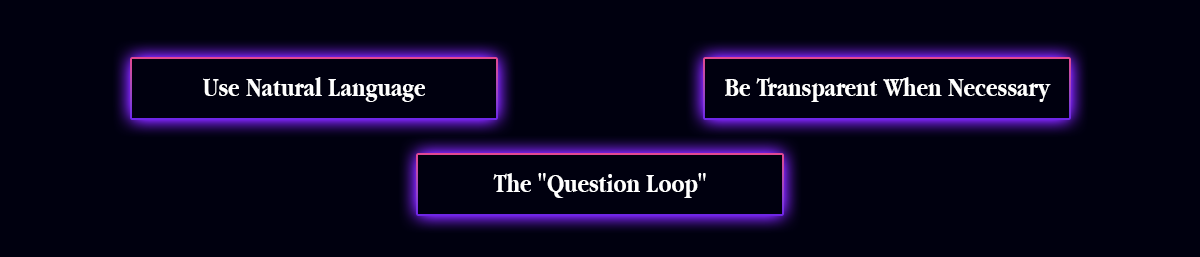
- Use Natural Language: Avoid corporate press release language. Your AI should sound like a person. If a bot is helping, be transparent: "This is an automated reply to get you the link faster."
- The "Question Loop": Don't just answer; ask. Train your AI to end replies with a question like, "Have you tried the new version yet?"
- Platform Specifics: Ensure your AI tone matches the platform, fast and high-energy for TikTok, professional and value-driven for LinkedIn.
The Pitfalls: What Can Go Wrong
- The "Tone Deaf" Robot: AI often struggles with sarcasm. A user saying "Great job breaking the site" shouldn't get a "Thanks, glad you love it" reply. Use negative sentiment filters to catch these.
- Ignoring Emotion: If a customer shares a sad personal story, a generic AI response feels disrespectful. Never automate engagement on vulnerable content.
- Over-Automation: When every single comment gets a reply in 2 seconds, it feels like a one-way street. Sometimes, it is better to reply personally.
Comment Automation FAQ
Q: Will platforms ban me for using AI replies?
A: They might, if you spam. Using AI to reply to comments on your own posts is generally allowed, provided you do not exceed hourly limits (e.g., posting 100 replies in 5 minutes).
Q: How do I stop the AI from answering angry people?
A: You use "Keyword Suppression." You tell the tool to never reply to comments containing words like "scam," "worst," "broken," or "refund." These are automatically routed to your human inbox.
Q: Can AI handle Direct Messages (DMs) too?
A: Yes. In fact, DMs are often the best place for automation because you can build structured "Chat Flows" that guide the user to the right answer step-by-step.
The Strategic Bottom Line
The goal of comment automation is not to hide behind a machine. It is to remove the noise so you can hear the signal. When you automate the "Where is the link?" questions, you finally have the time to sit down and have a real conversation with the person who says, "This changed my life."
For the best results, we recommend you go with Legiit to find a community management specialist. You do not need to risk your reputation by setting this up yourself. Legiit freelancers can build your "Traffic Light" system, write your response scripts, and monitor your automation to ensure your brand always sounds human, helpful, and kind.









 Download