



FAQ schema is structured data you add to a page to tell Google (and other systems) “these are questions” and “these are the answers.” That’s it. It’s not magic. It’s just markup that makes your FAQ content easier for machines to parse.
And yes, it matters.
Because search engines don’t “read” your page the way humans do. They extract meaning. They look for patterns. FAQ schema makes the pattern obvious.
Before we go further, quick keyword clarity because people still ask this constantly:
- What is FAQ? It’s a section that answers common questions users have about a product, service, policy, process, etc.
- What does FAQ stand for? Frequently Asked Questions.
It’s basic. But it’s also one of the most effective content formats for ranking for long-tail queries (the stuff people type when they’re ready to buy, compare, or troubleshoot).
What is FAQ schema (in plain terms)?
FAQ schema is a specific schema type (FAQPage) in Schema.org. Usually implemented in JSON-LD. It looks like code, but it’s basically a labeled list:
- Question 1
- Answer 1
- Question 2
- Answer 2
Google can then use it to understand:
- which text is a question
- which text is the accepted answer
- where those Q&As belong (on a FAQ page)
This is important because without schema, Google has to infer the structure. Sometimes it does. Sometimes it doesn’t. Schema removes guesswork.
How FAQ schema helps with Google rankings (and what it actually does)
Let’s be accurate here:
FAQ schema is not a direct “ranking boost” like improving Core Web Vitals or earning links. It’s not a cheat code.
But it does help you rank indirectly because it can improve:
1) Visibility in SERPs
When Google understands your FAQ content clearly, you may qualify for enhanced results (rich results). That means more screen space. More attention. Better CTR.
CTR matters. If your result gets clicked more often, and people don’t bounce immediately, that can help performance over time.
2) Long-tail coverage
FAQ sections naturally match long-tail searches:
- “what is faq”
- “what does faq stand for”
- “how does pricing work”
- “can I cancel”
- “do you integrate with X”
Schema helps search engines map those questions to the page more reliably.
3) Better indexing and interpretation
If your page has a lot going on product content, testimonials, navigation, random UI strings Google may not correctly identify your FAQ block. Schema reduces the noise.
FAQ schema and LLMs (yes, it matters here too)
This part is newer, but it’s real.
LLMs and AI search systems pull answers from structured, well-organized sources. FAQ content is already a clean format for retrieval. FAQ schema makes it even cleaner.
It helps in a few ways:
- Disambiguation: clearly labels Q vs A so systems don’t mix them up
- Answer extraction: helps AI systems grab a complete answer instead of quoting a random partial sentence
- Entity + intent alignment: question-based content maps well to how users prompt LLMs
Basically: FAQ schema is one of the simplest ways to make your content “AI-readable” without rewriting your whole site.
When you should use FAQ schema (and when you shouldn’t)
Use FAQ schema when:
- you have a real FAQ section with real questions
- the answers are visible on the page
- the FAQ content is stable (not changing every hour)
- the questions match actual user intent (support tickets, sales objections, onboarding confusion)
Don’t use it when:
- your “FAQ” is just keyword spam
- the answers aren’t visible (hidden behind tabs that don’t load server-side)
- the content is duplicated across 50 pages with tiny changes
- you’re trying to force schema onto non-FAQ content (Google can ignore it)
Use a generator (seriously) especially if you already have an FAQ page
If you already have an FAQ page live, don’t rewrite anything. Don’t manually build JSON. Don’t copy/paste schema from some random template and try to “edit it until it works.” That’s how broken schema happens. Just use a generator that pulls your existing questions and turns them into valid FAQPage markup.
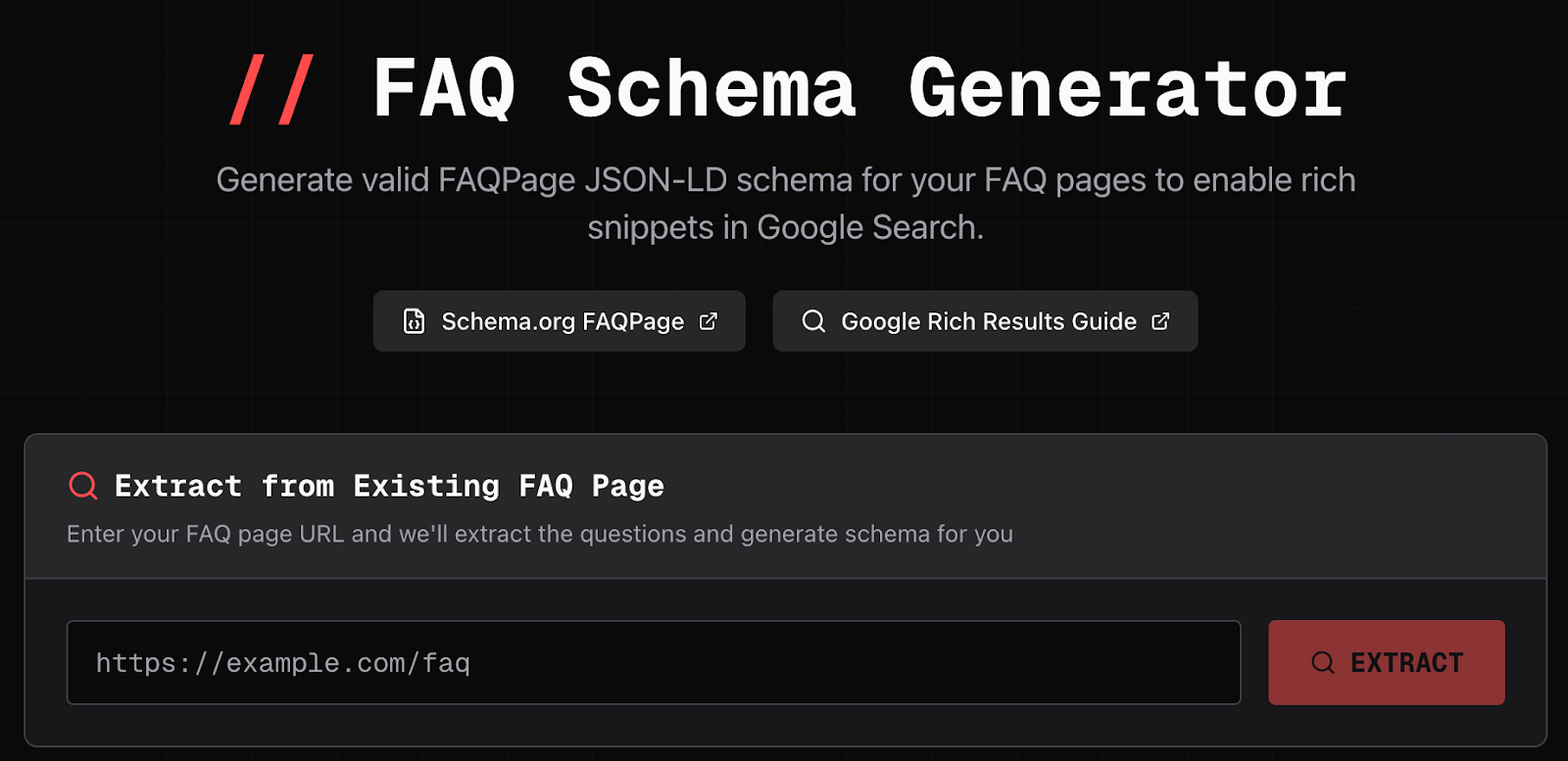
The easiest option I’ve found is the FaqPage FAQ Schema Generator. The workflow is simple: you paste the URL of your existing FAQ page into the tool, submit it, and it generates schema from the content already on your page. That means it’s not guessing. It’s literally taking your existing FAQ questions and answers and outputting the structured data version of the same thing.
This is important because one of the biggest reasons FAQ schema fails is mismatch, the schema says one thing, the page shows another. Using a generator like this reduces that risk because the schema is derived directly from what’s already published. You get a clean JSON-LD snippet you can copy into your page, validate, and ship.
Paragraph 1 (tool usage - URL input + output)
Here’s how you use it: go to the FAQ Schema Generator page, paste the URL of your existing FAQ page into the input, and run the generator. The tool extracts the FAQ questions and answers from the page and outputs valid FAQPage JSON-LD schema. This matters because it prevents the most common failure mode: schema that doesn’t match the visible content. If the tool pulls the content directly from your URL, you’re much less likely to mark up the wrong text.
Paragraph 2 (tool usage - implementation + validation)
Once the tool generates the schema, copy the JSON-LD snippet and add it to the same FAQ page (usually in the or before ). Then validate it. Always validate it. Use Google’s Rich Results Test or Schema Markup Validator before and after deployment. If you don’t test, you’re guessing — and schema issues don’t always show up in obvious ways. You can have “valid JSON” that still isn’t eligible for rich results because the markup doesn’t match the on-page FAQ content or violates policy.
Common mistakes people make (and what happens when you do)
This is where most schema implementations go wrong.
Mistake 1: Marking up content that isn’t visible
Google expects the FAQ answers to be visible to users. If you markup hidden content (accordion content that doesn’t render, content behind login, etc.), Google may ignore it.
What happens: no rich results, possible manual action risk if it looks deceptive.
Mistake 2: Using FAQ schema on pages that aren’t actually FAQs
People slap FAQ schema on product pages with random Q&A blocks that aren’t really FAQs. Or they markup marketing copy as “answers.”
What happens: schema gets ignored. Sometimes it works briefly, then drops.
Mistake 3: Questions that are too broad or spammy
Stuff like “Why are we the best?” “Why choose us?” is not a FAQ. It’s marketing.
What happens: you waste time, Google learns to distrust your structured data, performance is inconsistent.
Mistake 4: Mismatch between schema and page content
This is huge. People update the FAQ text but forget to update schema. Or the schema generator output is copied to the wrong page.
What happens: schema becomes invalid for eligibility, and you may not know for weeks.
Practical checklist (so you don’t mess this up)
If you want FAQ schema to actually help you:
- Make sure FAQ content is visible on the page
- Keep Q&As short, specific, factual
- Add schema only to the page that contains the FAQs
- Generate JSON-LD using a tool (like faqpage.com) to avoid syntax errors
- Validate using Google tools
- Re-test after site releases (FAQ schema breaks more often than people expect)
Bottom line
FAQ schema helps you rank because it makes your FAQ content easier for Google to understand and reuse. It can increase SERP visibility, improve CTR, and help your page show up for more long-tail searches. It also improves how AI systems interpret and extract answers from your content.
But it only works if it’s implemented correctly. If you treat it like a “set and forget” SEO hack, it either gets ignored or causes problems.
Use a generator. Validate it. Keep it aligned with the page. That’s the whole game.










 Download