



In ecommerce, your website code is your salesperson. If the code is broken, the salesperson is silent.
Many store owners obsess over product photos and descriptions while ignoring the engine under the hood. They do not realize that invisible technical errors are preventing Google from even seeing their store. You could have the best products in the world, but if your robots.txt file blocks the crawler, you effectively do not exist.
Technical SEO is the foundation of revenue. A single broken canonical tag can tank your traffic overnight.
This guide uncovers the 10 common technical seo errors that silently kill sales and provides the specific fixes you need to recover your rankings.
The Technical Cheat Sheet
Here is your diagnostic summary:
- The Crawl Blocker: Check your robots.txt immediately. If you block Google, you are invisible.
- The Speed Limit: If your site takes longer than 3 seconds to load, you lose 4% of conversions per second.
- The Duplicate Trap: Manufacturer descriptions are SEO poison. Rewrite them.
- The Spider Trap: Faceted navigation (filters) can create millions of junk URLs. Use canonical tags to fix this.
On This Page
- Error 1: The "Invisible Store" Error (Crawling & Indexing)
- Error 2: The "3 Second" Rule Violation (Page Speed)
- Error 3: Mobile "Thumb" Friction (Unoptimized UX)
- Error 4: The "Trust" Gap (HTTPS Security)
- Error 5: URL Structure Chaos
- Error 6: The "Copy Paste" Penalty (Duplicate Content)
- Error 7: Missing "Rich Snippets" (Structured Data)
- Error 8: The "Dead End" (404 Errors)
- Error 9: Orphaned Pages (Weak Internal Linking)
- Error 10: The "Spider Trap" (Faceted Navigation)
- Technical SEO FAQ
- The Strategic Bottom Line
Error 1: The "Invisible Store" Error (Crawling & Indexing)
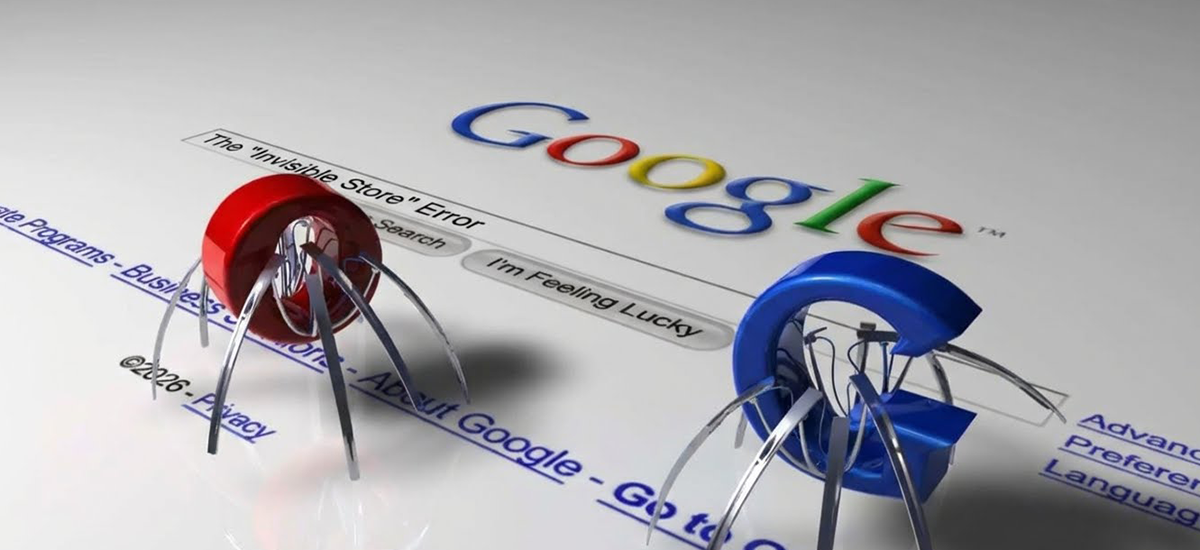
This is the SEO equivalent of locking your front door.
The Error Your robots.txt file is accidentally blocking Google from seeing your most important pages. This often happens after a site migration or a redesign where developers forget to remove "Disallow" tags.
The Impact If Google cannot crawl it, you don't exist. You might be running ads to get people to visit, but organic search will send you zero traffic because the bot is turned away at the gate.
Error 2: The "3 Second" Rule Violation (Page Speed)
Speed is not a luxury; it is a requirement.
The Error High resolution uncompressed product images and bloated code make pages load slower than 3 seconds.
The Impact Speed is a direct ranking factor. For every second of delay, conversion rates drop by approximately 4.42%. Users (and Google) perceive slow sites as "broken" and will bounce back to the search results immediately.
Error 3: Mobile "Thumb" Friction (Unoptimized UX)
Desktop traffic is the minority.
The Error Elements are too close together, text is too small, or pop ups cover the "Buy" button on mobile devices.
The Impact With Google’s Mobile First Indexing, your mobile site is the only version that matters for ranking. If your site is frustrating to use on a phone, Google demotes you on desktop too.
Error 4: The "Trust" Gap (HTTPS Security)
Security is a conversion factor.
The Error Missing SSL certificates (using HTTP instead of HTTPS).
The Impact Browsers now label non secure sites as "Not Secure" in red text next to the URL. This kills trust instantly. Users will not enter credit card details on a site their browser warns them about, destroying your conversion rate.
Error 5: URL Structure Chaos
Messy URLs confuse humans and bots.
The Error Using messy, auto generated URLs like /product?id=123&cat=shoes instead of clean, descriptive ones like /mens-running-shoes/nike-air-max.
The Impact Clean URLs are a ranking factor and improve Click Through Rate (CTR) because users can read exactly what they are clicking before they leave Google.
Error 6: The "Copy Paste" Penalty (Duplicate Content)
Laziness costs revenue.
The Error Using the default manufacturer product descriptions that 50 other stores also use.
The Impact Google filters out duplicates. To rank, you must "own" the content. If your description is exactly the same as Amazon's, Amazon wins, and you are hidden. You must write unique value propositions for your inventory.
Error 7: Missing "Rich Snippets" (Structured Data)
You need to stand out visually.
The Error Failing to implement Schema Markup for Price, Availability, and Reviews.
The Impact Without this, your listing looks plain in search results. Rich snippets (stars, prices, stock status) drastically increase clicks by making your product look "alive" and trustworthy directly on the search page.
Error 8: The "Dead End" (404 Errors)
Inventory churn creates broken paths.
The Error Deleting a product page when it goes out of stock without redirecting it.
The Impact Any backlinks pointing to that product are wasted. The user lands on an error page and leaves. Instead, use a 301 Redirect to a similar product category to keep the "link juice" flowing and the customer inside your store.
Error 9: Orphaned Pages (Weak Internal Linking)
If you don't link to it, Google can't find it.
The Error Product pages that are not linked from any category, menu, or blog post.
The Impact If you do not link to a product, Google assumes it is unimportant. Strategic internal linking passes "authority" from your home page down to your deep product pages, helping them rank for specific queries.
Error 10: The "Spider Trap" (Faceted Navigation)
This is the silent killer of large stores.
The Error Allowing Google to index every single filter combination (e.g., "Blue + Size 9 + Under $50"). This creates millions of low value URLs.
The Impact This wastes your "Crawl Budget." Google spends all its time crawling useless filter pages and misses your new high value products. Fix this by using canonical tags or disallowing specific parameters in your robots.txt file.
Need a Technical Audit?
Finding these errors manually is nearly impossible for large stores. You need specialized tools and eyes to spot the spider traps and broken code.
On Legiit, you can find Technical SEO Experts who specialize in eCommerce. They can crawl your site, identify these 10 killers, and fix them before you lose another sale.
Technical SEO FAQ
How do I check if my site is indexed?
Go to Google and type site:yourdomain.com in the search bar. This will show you exactly which pages Google has in its index. If you see zero results, you have a blocking error.
What is a good page load speed?
Ideally, your ecommerce site should load in under 2.5 seconds. Anything over 3 seconds is considered "slow" and will negatively impact both your rankings and your ad performance.
How do I fix duplicate content without rewriting everything?
If you cannot rewrite thousands of descriptions immediately, prioritize your top 50 best sellers. For the rest, use no index tags on low value pages or ensure your canonical tags point to the main category to consolidate authority.
The Strategic Bottom Line
Technical SEO is not about checking boxes; it is about clearing the path for revenue.
If you ignore these errors, you are effectively paying to acquire traffic that hits a brick wall. By fixing your robots.txt, optimizing your speed, and securing your site structure, you turn your store into a high performance machine that Google loves to rank.
Audit your store today.










 Download