

If you think your WordPress site is safe because you have a security plugin and a strong password, you are living in 2020.
The digital landscape of 2026 has introduced a new breed of "invisible" threats that can bypass traditional firewalls in seconds.
Hackers are no longer just individuals in basements; they are using sophisticated artificial intelligence to automate the destruction of small business websites.
For a business owner, a hacked site isn't just a technical glitch; it is a total loss of SEO rankings, customer trust, and hard-earned revenue.
This guide will expose the high-tech threats of 2026 and show you how to build a fortress around your digital assets.
AI-Driven "Zero-Day" Discovery: The End of Routine Updates
In the past, you were safe as long as you clicked "Update" on your plugins every week.
In 2026, that is no longer enough because hackers are using specialised Large Language Models (LLMs) to scan plugin code in real-time.
These AI tools find "Zero-Day" vulnerabilities, flaws that the developers don't even know exist yet, before a patch can even be written.
This means your site can be compromised within minutes of a new plugin version being released, even if you are diligent with updates.
The Behavioural Defence
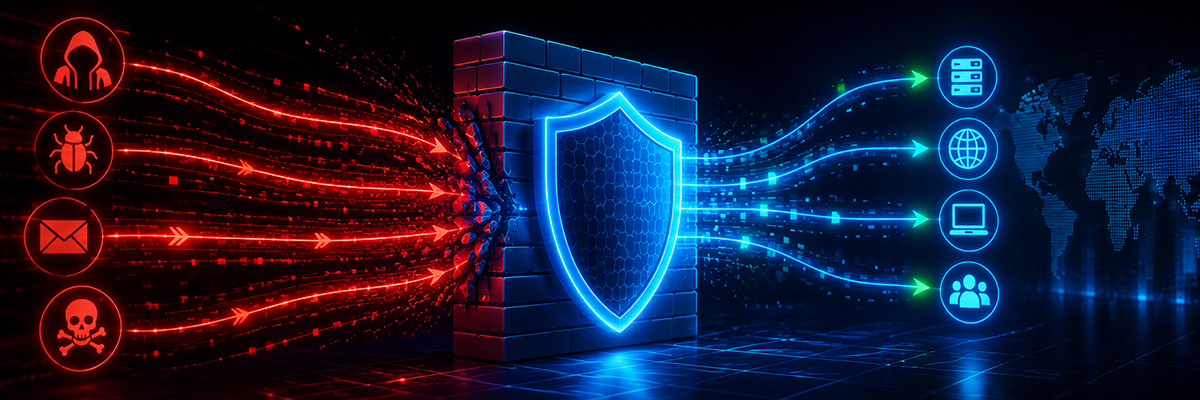
To defend against this, you must move beyond basic signature-based security that only looks for known viruses.
Implement a Web Application Firewall (WAF) utilising advanced website security that uses behavioural analysis to block suspicious patterns, not just known signatures.
Supply Chain Injection: The Trojan Horse in Your Dashboard
A "Supply Chain Attack" is one of the most devastating threats for WordPress users today.
Instead of attacking your site directly, hackers target the update servers of a "trusted" minor plugin or theme you already use.
When you perform what looks like a routine update, you are actually delivering malicious code directly to your own server.
This code arrives with full administrative permissions, making it nearly impossible for basic scanners to flag.
- Audit Your Stack: Perform a monthly audit of your plugin list and remove anything with low installs or infrequent updates.
- The Authority Rule: Only use verified, high-authority themes and plugins from trusted marketplaces like Legiit.
Semantic Social Engineering: The Rise of AI Phishing
Hackers are now using AI to scrape your public profiles on LinkedIn or X (Twitter) to create "perfect" phishing emails.
These emails don't look like spam; they mimic the exact tone and topics of your business coach, your high-value clients, or even your internal team.
An employee might receive an email to "Review the Performance Sheet" that looks identical to your internal documents.
Clicking that link grants the attacker a session cookie, allowing them to bypass your 2-Factor Authentication (2FA) entirely.
To stop this, move toward hardware security keys (like YubiKeys) or Passkeys, which are virtually impossible to "phish" compared to SMS codes.
Database "Logic" Bombs: The Silent Killer
A Database "Logic" Bomb is a script hidden deep within your WordPress database that is designed to stay dormant for months.
Because the code isn't "active" malware yet, standard security scans often miss it completely.
Once the "bomb" triggers, perhaps on a specific date or when you reach a certain traffic milestone, it can encrypt your data.
It may also silently redirect your traffic to a competitor’s site, bleeding your revenue without you ever noticing.
The only real defence against a logic bomb is an off-site, immutable backup system.
If a bomb goes off, you need to be able to roll back to a "clean" version of your site from before the initial injection occurred.
The 2026 Essential Security Checklist
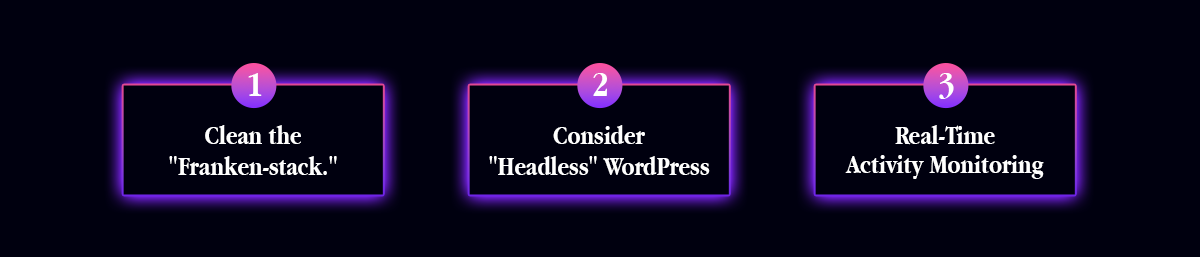
If you want to keep your site online this year, you need to reduce your "attack surface" by following these steps:
1. Clean the "Franken-stack"
Remove every single plugin that isn't 100% essential to your business operations. Every extra line of code is a potential door for a hacker.
2. Consider "Headless" WordPress
For high-traffic clients, move to a "Headless" setup where your WordPress backend is hidden on a private server.
This makes your actual database nearly impossible for a bot to find or attack directly.
3. Real-Time Activity Monitoring
Install a real-time audit log that tracks every login and every setting change. This is critical when working with professional developers specialising in programming & technology to ensure you know exactly who did what on your server.
Why People are Moving Away from (Unprotected) WordPress
You may have heard rumours that "WordPress is dead" or that people are moving to closed platforms like Shopify or Wix.
The truth is that WordPress is still the most powerful CMS in 2026, but only for those who take security seriously.
People are moving away from unprotected WordPress sites because they are tired of the constant "cat and mouse" game with hackers.
However, a properly secured WordPress site offers more SEO power and customisation than any "all-in-one" builder could ever dream of.
Frequently Asked Questions
Q: Is WordPress still relevant in 2026?
A: Absolutely. It still powers over 40% of the web. Its massive ecosystem of developers and SEO tools makes it the best choice for businesses that want to own their digital assets.
Q: Why is WordPress often called "insecure"?
A: WordPress itself is very secure; the "insecurity" comes from users installing low-quality, nulled, or outdated plugins. It is like a house with a top-tier security system that fails because you left the back door wide open.
Q: Can AI improve my website security?
A: Yes. Modern security services use AI to predict attacks and analyse traffic patterns in real-time, catching threats that humans would miss.
Q: What is the most common security risk for WordPress in 2026?
A: The most common risk remains compromised user accounts and session hijacking via AI-enhanced phishing attacks.
Q: How often should I back up my site?
A: In 2026, you should have real-time backups. If your business processes transactions or leads daily, a "once-a-week" backup is a recipe for disaster.
The Strategic Bottom Line
In 2026, website security is no longer a "set it and forget it" task.
The threats have become smarter, faster, and more personal.
Relying on a $10-a-month plugin to protect a $10,000-a-month business is a gamble you will eventually lose.
By auditing your "Franken-stack," moving to behavioural firewalls, and using off-site backups, you protect your brand from the "Fear of Loss."
Don't wait until your screen turns red with a "Site Hacked" message.
By hiring a vetted expert from the Website Security services on Legiit, you can ensure your site is a fortress that remains invisible to the AI bots of 2026.





 Download