



You found the perfect Virtual Assistant. They have the skills, the experience, and the attitude. Now comes the awkward question: "How do you want to be paid?"
Get this wrong, and you either overpay for slow work or accidentally incentivize your VA to rush and make mistakes.
The "Hourly vs. Project" debate is the oldest argument in outsourcing. But in 2026, it's not just a binary choice. As VAs become more specialized and AI tools speed up production, smart business owners are moving toward hybrid and performance-based models that align incentives perfectly.
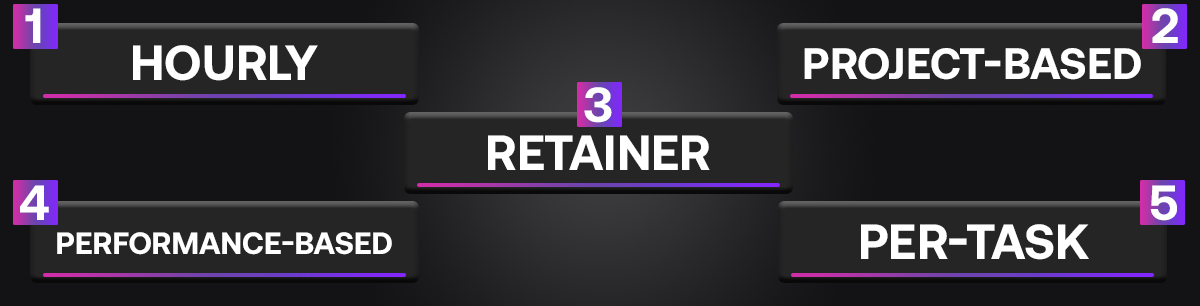
This guide breaks down the 5 essential pricing structures for Virtual Assistants. We’ll explain exactly when to use each one to protect your budget and motivate your team.
VA Pricing: The Cheat Sheet
Here is your quick decision matrix:
- Hourly: Best for general admin, "catch-all" roles, and unpredictable daily tasks. It requires trust and time-tracking.
- Project Based: Best for finite deliverables like building a website or setting up a CRM. You pay for the result, not the time.
- Retainer: The "gold standard" for long-term relationships. You buy a block of hours or availability monthly for a predictable fee.
- Performance Based: Best for sales and lead gen. You pay a lower base rate plus a commission for every booked appointment or closed deal.
- Per Task: Best for high-volume, repetitive work like data entry or e-commerce product uploads.
On This Page
- Model 1: The Hourly Rate (The Flexible Standard)
- Model 2: Project-Based Pricing (The "Done-For-You" Fee)
- Model 3: The Monthly Retainer (The Stability Builder)
- Model 4: Performance & Commission (The Growth Engine)
- Model 5: Per-Task Pricing (The Volume Play)
- VA Pricing FAQ
Model 1: The Hourly Rate (The Flexible Standard)
This is the most common starting point. You agree on a rate (e.g., $10/hour), and your VA tracks their time using software like Hubstaff or Time Doctor.
- Best For: General Virtual Assistants (GVAs), Executive Assistants, and roles where the workload fluctuates wildly from day to day.
- The Pro: You only pay for exactly what you use. If you have a slow week, your bill is low.
- The Con: It penalizes efficiency. If your VA gets faster at their job (or uses AI to speed it up), they make less money. This can create a perverse incentive to work slowly.
When to Use It: Use this for your first 30-60 days with a new general admin VA. It allows you to audit how long tasks actually take before moving to a more stable model.
Model 2: Project-Based Pricing (The "Done-For-You" Fee)
Here, you pay a flat fee for a specific outcome, regardless of how long it takes. "Build this funnel for $500." "Write these 4 blog posts for $200."
- Best For: Web design, graphic design, video editing, and technical setups.
- The Pro: Budget certainty. You know exactly what the invoice will be. You don't care if it takes them 2 hours or 20 hours, as long as the quality meets the standard.
- The Con: Scope creep. If you ask for "just one more change," the VA may demand more money or become frustrated. You must have a crystal-clear scope of work before starting.
When to Use It: Use this for any task that has a clear "definition of done." If you need a logo, a website fix, or a research report, pay by the project.
Model 3: The Monthly Retainer (The Stability Builder)
This is where most successful VA relationships eventually land. You pay a fixed monthly fee to reserve a set amount of the VA's time or output (e.g., "$1,000/month for 20 hours a week").
- Best For: Dedicated team members who handle core operations like customer support or daily social media management.
- The Pro: Priority access. Because you are guaranteeing their income, the VA prioritizes your work over ad-hoc clients. It also simplifies billing to a single monthly transaction.
- The Con: You pay it even if you don't use it. If you go on vacation and have no work for them, the retainer is still due.
When to Use It: Switch to this model once you have a VA you trust and a consistent workload that requires daily attention. It secures their loyalty.
Model 4: Performance & Commission (The Growth Engine)
This model aligns your VA's wallet with your bank account. It typically involves a lower base pay plus a bonus for hitting specific metrics.
- Best For: Sales VAs, Real Estate ISAs (Inside Sales Agents), and Lead Generation specialists.
- The Pro: Infinite ROI. You are happy to pay them more because it means you are making more money. It motivates them to hustle.
- The Con: High turnover risk. If your leads are bad and they can't make commissions, they will quit quickly.
Example Structure:
- Base Pay: $5/hour
- Bonus: $20 for every booked appointment + $100 for every closed deal.
Model 5: Per-Task Pricing (The Volume Play)

This is a variation of project pricing, used for high-volume, repetitive tasks. Instead of an hourly rate, you pay "per unit."
- Best For: Data Entry, e-commerce product uploads, and podcast show notes.
- The Pro: It scales perfectly. If you need 100 products uploaded, you know the cost. If you need 1,000, you just multiply it. It encourages the VA to find the fastest, most efficient way to work.
- The Con: Quality control. If the VA rushes to maximize its earnings, accuracy can drop. You need strict quality checks.
When to Use It: Use this for tasks that require zero creative thought but high accuracy. "I will pay $0.50 for every lead you find that meets these criteria."
Find the Right Model on Legiit
The beauty of a freelancer marketplace is flexibility. On Legiit, you can find VAs who work under all these models. You can hire a graphic designer on a project basis, a data entry clerk on a per-task basis, or a general VA on a retainer.
VA Pricing FAQ
How to package virtual assistant services?
Packaging services means bundling related tasks into a single "product" rather than selling hours. This helps clients visualize exactly what they get.
- The "Starter" Package: 10 hours/month for basic email & calendar management ($300/mo).
- The "Growth" Package: 20 hours/month including social media scheduling & basic research ($600/mo).
- The "VIP" Package: 40 hours/month with priority support and weekend availability ($1,200/mo).
How to price virtual assistant services?
Pricing should be based on value, skill level, and location, not just time.
- Entry Level: $5-$15/hr (Best for general admin tasks like data entry).
- Mid Level: $20-$40/hr (Best for tech setup, content management, or light marketing).
- Expert Level: $50+/hr (Best for high-level strategy, copywriting, or project management).
Pro Tip: Always factor in your overhead (taxes, software subscriptions, transfer fees) when setting your base rate.
What are examples of virtual assistant jobs?
VAs can handle almost anything digital. Common examples include:
- General Admin: Inbox management, travel booking, appointment setting, data entry.
- Marketing: Scheduling social media posts, replying to comments, setting up email newsletters, and basic graphic design.
- E-commerce: Uploading products to Shopify, handling customer support tickets, processing returns, and managing inventory.
- Specialized: Podcast editing, video transcription, real estate lead qualification (ISA), and Amazon Seller Central management.
What software do VAs commonly use?
A modern VA needs to be proficient in a core tech stack to be effective:
- Communication: Slack, Zoom, WhatsApp, Microsoft Teams.
- Project Management: Trello, Asana, ClickUp, Notion.
- Design & Creative: Canva (essential for almost all VAs), Adobe Creative Cloud.
- File Storage: Google Drive, Dropbox, OneDrive.
- Time Tracking: Toggl, Hubstaff, Clockify.
Match the Model to the Mission
Don't force a "creative" project into an "hourly" box, and don't put a "sales" role on a flat salary. By matching the pricing model to the nature of the work, you create a win-win relationship where your VA feels fairly compensated, and you get maximum efficiency.
Ready to build your team? Legiit makes it easy to test different VAs and pricing structures until you find the perfect fit for your business.










 Download